Jenkins Vs Github Action
The Dilema!! Jenkins OR Github Action
Jenkins often falls short compared to GitHub Actions when it comes to ease of setup, cloud-native integration, and maintenance overhead. GitHub Actions is tightly integrated with the GitHub ecosystem, enabling faster onboarding, seamless repository workflows, and significantly lower operational costs
Key comparision
| Category | Jenkins | Github Action |
|---|---|---|
| Architecture | Self hosted or Cloud hosted | Cloud Native |
| Scripting language | Groovy | YAML |
| Secrets Management | Credentials Plugin; can integrate with external vaults (HashiCorp Vault, CyberArk). | Encrypted secrets at repo/org/environment level; easy to manage via UI. |
| Security | Depends on server hardening, RBAC, and plugin trustworthiness. | Built-in security features with GitHub's infrastructure; automatic updates. |
| Workspace | Jenkins have persistent workspace. No size limit | Github Action also have but size limit is 10 GB |
| Worker/runner | You need to configure the worker nodes | Github manages runners but limited to 20 concurrent jobs and max 6 hours job time. |
| Build Time | Jenkins builds are generally faster. | GitHub Actions can be slower because its cache size is limited to 10 GB, which often requires additional downloads or setup during builds. |
| Logging | Jenkins store logs for lifetime | Logs expire in 90 days |
| Use Cases | Enterprise-scale CI/CD, hybrid/multi-cloud, complex workflows. | GitHub-native projects, open-source repos, fast adoption for small/medium teams. |
| cost | Free and open-source but requires infrastructure management. | Free for public repos; paid plans for private repos based on usage. |
Dive Deeper into Real world problems
Credential Storage
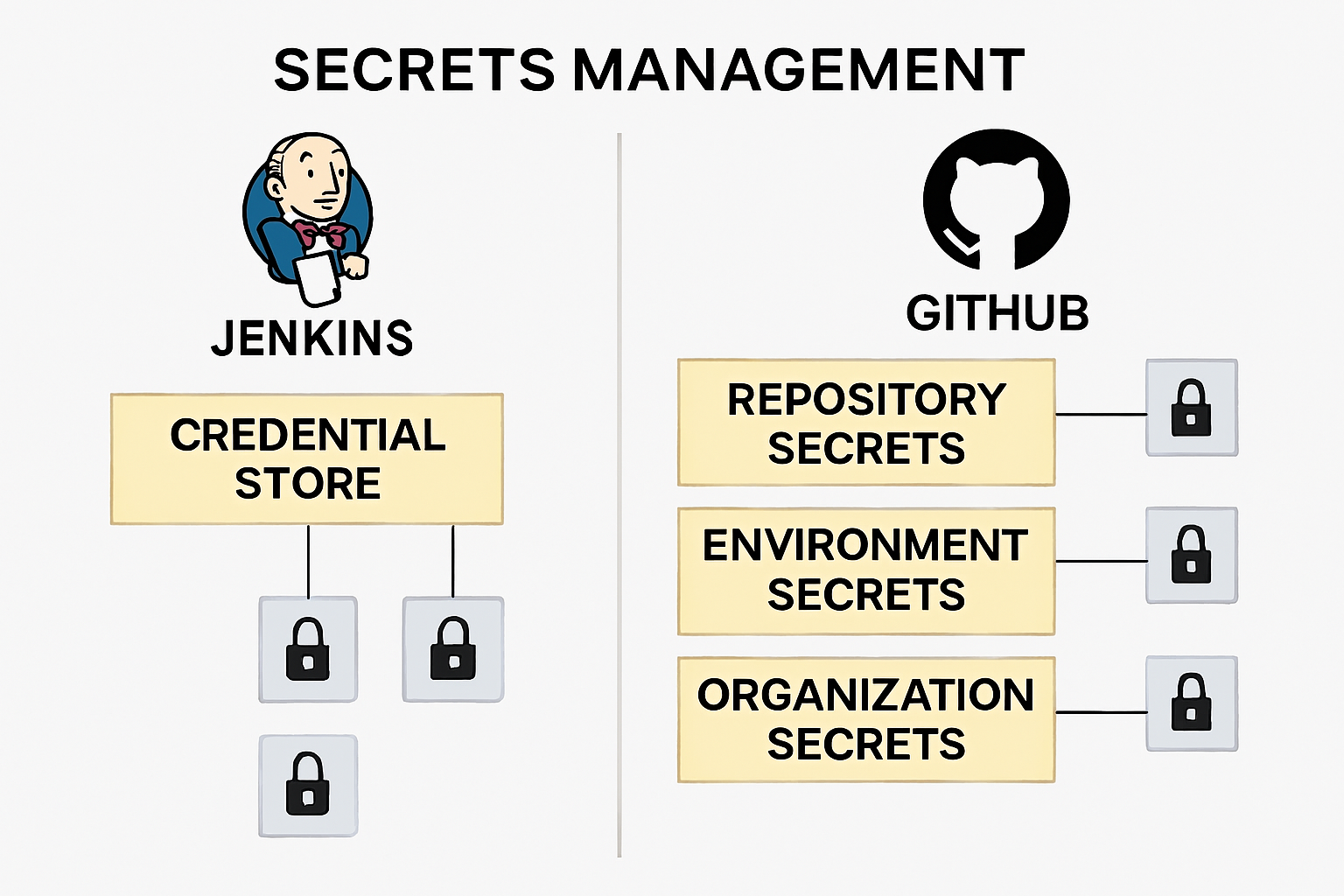
Jenkins has a built‑in credential store where you can securely manage secrets such as passwords, tokens, and keys. In GitHub Actions, secrets are stored using GitHub’s encrypted secrets feature. By default, secrets are scoped at the repository level, which means if you have 10 separate repositories (and therefore 10 pipelines), you need to create and maintain 10 copies of the same secret. However, GitHub also supports organization-level and environment-level secrets.
Workers/Runners
In Jenkins, you need to configure worker nodes (agents) based on your infrastructure and workload requirements. In contrast, GitHub Actions provides hosted runners out of the box. However, under the free tier, you're limited to 20 concurrent jobs and a maximum of 6 hours of runtime per day. This means if you manage hundreds of repositories and need to run jobs in parallel at scale, you'll likely need to provision your own self-hosted runners (VMs) to overcome these limitations.
Logging
Jenkins stores build logs indefinitely by default, allowing you to access logs from builds that ran one or even two years ago. In contrast, GitHub Actions retains logs for only 90 days. After that, the logs are automatically deleted. If long-term retention is required, you’ll need to export and store them in external storage solutions like Amazon S3, Azure Blob Storage, or other cloud services — which can incur additional costs.
Risks & Trade-off
Jenkins: Powerful but requires heavy maintenance, plugin security vetting, and infra costs.
Github Action: Easy to adopt but limited outside GitHub ecosystem; scaling costs can rise quickly.