Provision and Mount AWS EBS Volume in Kubernetes
Provision and Mount AWS EBS Volume in Kubernetes
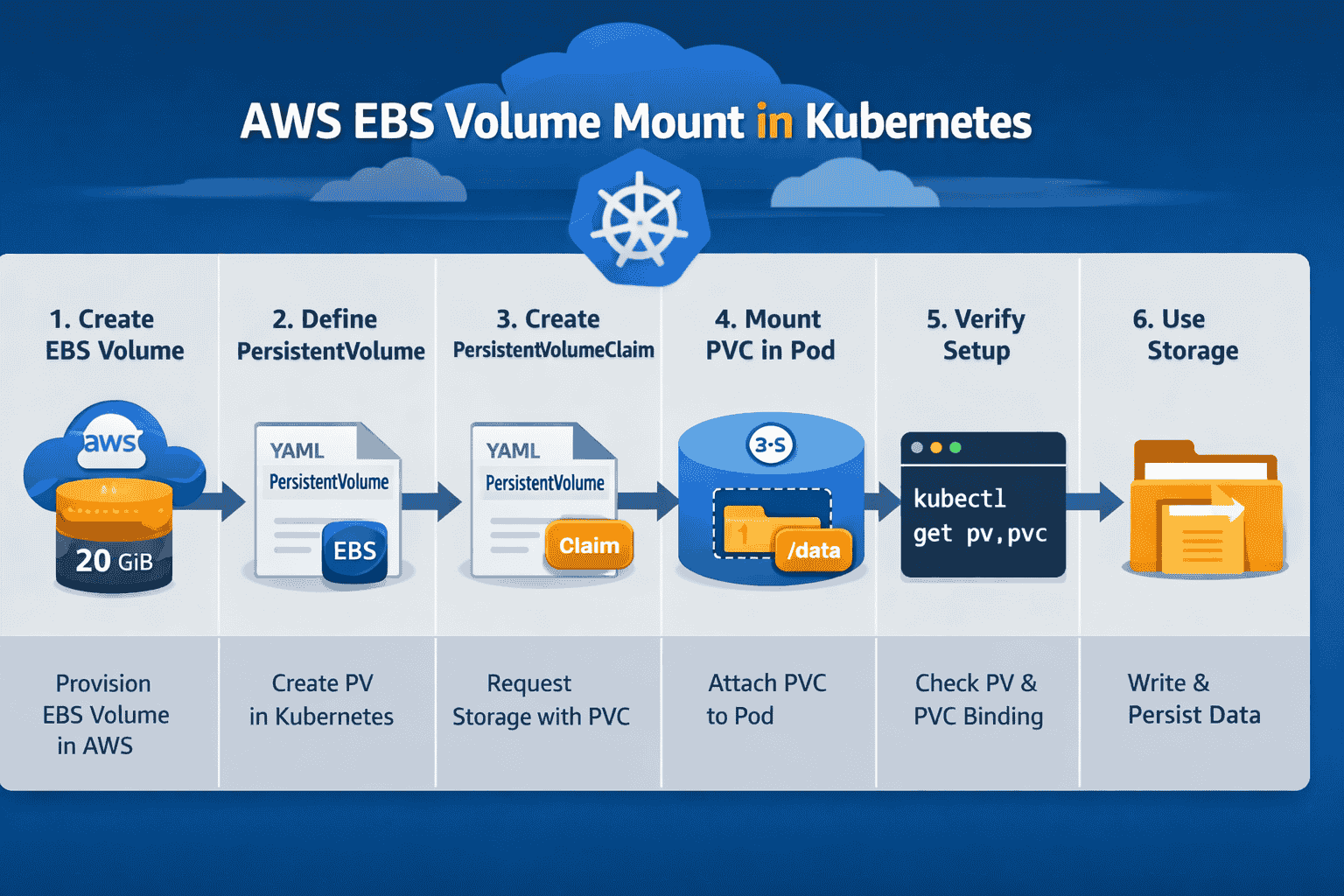
This guide explains how to manually create an Amazon EBS volume in AWS, define it as a PersistentVolume in Kubernetes, bind it with a PersistentVolumeClaim, and mount it inside a pod.
Step 1: Create EBS Volume in AWS
Navigate to EC2 → Volumes → Create Volume. Choose size, type (gp3, io1, etc.), and Availability Zone. Ensure the AZ matches the worker node where the pod will run.
Step 2: Tag the Volume
Add descriptive tags such as Name=app-data for easier identification and management.
Step 3: Define PersistentVolume (PV)
Create a Kubernetes PV manifest referencing the EBS volume ID. Example:
apiVersion: v1kind: PersistentVolumemetadata: name: pv-app-dataspec: capacity: storage: 20Gi volumeMode: Filesystem accessModes: - ReadWriteOnce persistentVolumeReclaimPolicy: Retain storageClassName: "" awsElasticBlockStore: volumeID: vol-0abcd1234efgh5678 fsType: ext4Step 4: Define PersistentVolumeClaim (PVC)
Create a PVC that requests storage matching the PV. Example:
apiVersion: v1kind: PersistentVolumeClaimmetadata: name: pvc-app-dataspec: accessModes: - ReadWriteOnce resources: requests: storage: 20Gi storageClassName: ""Step 5: Mount Volume in Pod
Reference the PVC in your pod or deployment manifest. Example:
apiVersion: apps/v1kind: Deploymentmetadata: name: app-deploymentspec: replicas: 1 selector: matchLabels: app: myapp template: metadata: labels: app: myapp spec: containers: - name: myapp-container image: nginx volumeMounts: - mountPath: /usr/share/nginx/html name: app-storage volumes: - name: app-storage persistentVolumeClaim: claimName: pvc-app-dataStep 6: Verify Setup
- Run `kubectl get pv,pvc` to confirm PVC is bound.
- Run `kubectl describe pod <pod-name>` to check volume mount.
- Write files inside the container at the mount path and confirm persistence.
Best Practices
- Ensure the EBS volume AZ matches the node AZ.
- Use StorageClass for dynamic provisioning to avoid manual volume creation.
- Set reclaim policy to Retain if you want to preserve data after PVC deletion.