Optimizing Docker Image Size
Strategies for Reducing Docker Image Size
Reducing Docker image size isn't just about saving disk space. It speeds up deployment times, reduces network bandwidth during CI/CD cycles, and slashes your security attack surface. Minimalist container images contain fewer components, leaving malicious actors with fewer utilities to exploit if a container gets compromised. Achieving thin production images requires architectural changes to how you structure your build contexts, layers, and runtimes.
Understanding How Docker Layers are Stored
To effectively reduce image size, you must understand Docker's storage architecture. A Docker image is built up from a series of read-only layers. Each layer represents an instruction in your Dockerfile. When you build an image, Docker steps through your Dockerfile executing instructions sequentially. As each layer is built, it is stacked on top of the previous ones. These layers are stored using a Union File System (UnionFS), which allows files and directories from separate layers to be transparently overlaid, forming a single, cohesive filesystem structure.
Crucially, these layers are immutable and cumulative. When a file in a higher layer is modified or deleted, it doesn't actually delete the file from the lower layer where it was created. Instead, the higher layer writes a 'whiteout' file that masks the older file, making it invisible to the running container, while the original file still occupies physical storage space inside the underlying image history.
Layer Storage Anatomy: A Dockerfile Example
Consider the following standard Dockerfile execution. Every single modifier command creates a distinct filesystem state that Docker stacks and caches permanently:
# Layer 1: Base Image Layer (Contains core OS binaries and Alpine runtime environments)FROM alpine:3.19# Layer 2: Metadata Layer (Does not add filesystem size, modifies configuration settings)WORKDIR /app# Layer 3: Dependency Layer (Copies local package files into the image filesystem)COPY package.json .# Layer 4: Modification Layer (Downloads packages, modifying the underlying filesystem space)RUN apk add --no-cache nodejs npm && npm install# Layer 5: Application Code Layer (Overlays the active application code changes onto the stack)COPY . .# Layer 6: Configuration Layer (Metadata change defining execution instructions)CMD ["node", "index.js"]Core Image Optimization Techniques
Slipping down bloated layers relies on choosing highly optimized base operating systems, utilizing multi-stage build workflows, and preventing local build waste from sneaking into the Docker daemon context.
| Optimization Strategy | Implementation Complexity | Impact Profile | Primary Benefit |
|---|---|---|---|
| Minimalist Base Images | Easy | High | Eliminates hundreds of megabytes of unused OS tooling out-of-the-box. |
| Multi-Stage Builds | Medium | Critical | Separates heavy development/compilation utilities from the tiny final runtime image. |
| Chaining RUN Commands | Medium | Medium | Ensures transient installer caches are cleared before a layer gets permanently baked. |
| Build Context Exclusion | Easy | Medium | Prevents local files, secrets, and node_modules from bloating the initial build transmission. |
Choosing Lightweight Base Images
Standard images like node:latest or ubuntu:latest ship with full system packages and package managers. Switching to highly compressed, security-oriented alternatives like Alpine Linux (~5MB base size) or Debian-based '-slim' images drops image footprint instantaneously.
# Inefficient: Uses full OS distributionFROM node:20# Efficient: Uses lightweight Alpine minimal footprintFROM node:20-alpineImplementing Multi-Stage Builds
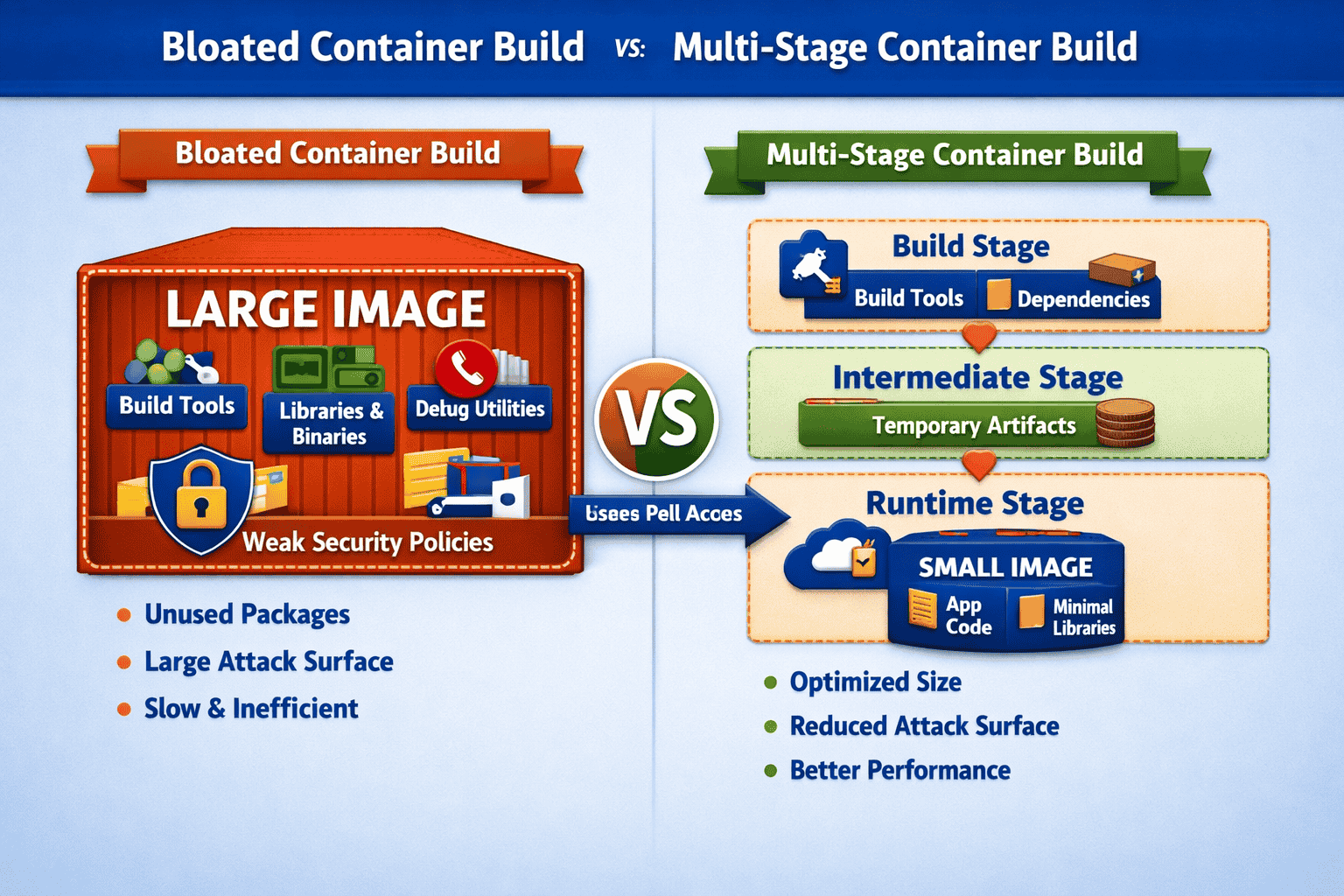
Multi-stage builds let you use a temporary, fully loaded image stage to download packages, run compilers, or build static assets. You then copy only the final operational artifacts into a completely fresh, stripped-down runtime stage, dropping the entire heavy build toolkit along the way.
# Stage 1: Compiling code using large builder environmentFROM node:20 AS builderWORKDIR /appCOPY package*.json ./RUN npm installCOPY . .RUN npm run build# Stage 2: Final production image with zero build toolsFROM nginx:alpineCOPY --from=builder /app/dist /usr/share/nginx/htmlEXPOSE 80CMD ["nginx", "-g", "daemon off;"]Managing Layers and Build Execution
Every RUN, COPY, and ADD instruction creates an irreversible, read-only filesystem snapshot called a layer. If you download files or generate temporary system caches in one instruction and attempt to clean them up in a subsequent command, those files still physically occupy space inside the underlying image history.
Chaining and Cleaning Up in a Single RUN Instruction
To prevent cache and installer bloat from getting permanently tracked, chain your installation, configuration, and cleanup tasks into a singular layer execution using logical AND operators (&&). Package manager caches must be cleared within this exact same statement.
# Inefficient: Multi-step process permanently traps cached lists in Layer 1RUN apt-get updateRUN apt-get install -y curlRUN rm -rf /var/lib/apt/lists/*# Efficient: Single layer setup ensures cache is purged before snapshotRUN apt-get update && apt-get install -y \ curl \ && rm -rf /var/lib/apt/lists/*Optimizing Cache Order and Local Exclusions
Docker caches layers sequentially. Order your commands from least-frequently-changed (system packages) to most-frequently-changed (source code) so minor adjustments do not invalidate previous heavy caching steps. Additionally, use a .dockerignore file in your workspace root to guarantee local build directories and dependency files never make it into the build pipeline.
# .dockerignore pattern mappingnode_modules.git.envdistbuildDockerfileREADME.mdAdvanced Image Shrinkage Scenarios
| Advanced Vector | Risk & Size Profile | Mitigation Control |
|---|---|---|
| Shell Utilities & Vulnerabilities | Standard OS binaries like bash or sh take up space and can be used for reverse-shell script injections. | Migrate production applications to Distroless base targets, which completely remove shells, package managers, and core utilities. |
| Stale Package Manager Caches | Pip, npm, or Yarn leave behind heavy package archives in hidden user directories. | Explicitly run dependency installations with flags like '--no-cache-dir' for Python Pip or '--omit=dev' for Node npm. |
| Over-privileged Tooling | Keeping compilers, debuggers, or text editors inside runtime environments expands the attack path significantly. | Strictly mandate Multi-Stage pipelines, copying compiled binaries exclusively into completely bare scratch or distroless layers. |
Key Takeaways
- Docker image layers are cumulative and immutable; files deleted in subsequent layers still consume final payload space.
- Combine updating, installing, and caching cleanup workflows within a singular, consolidated RUN statement.
- Prioritize Alpine Linux distributions or Google Distroless images over heavy Ubuntu or Debian base operating environments to save massive baseline overhead.
- Isolate source code compilation workflows inside upstream build stages, maintaining minimal executable layers for final production environments.