Blue-Green Deployment in Kubernetes
How to Set Up Blue-Green Deployment in Kubernetes
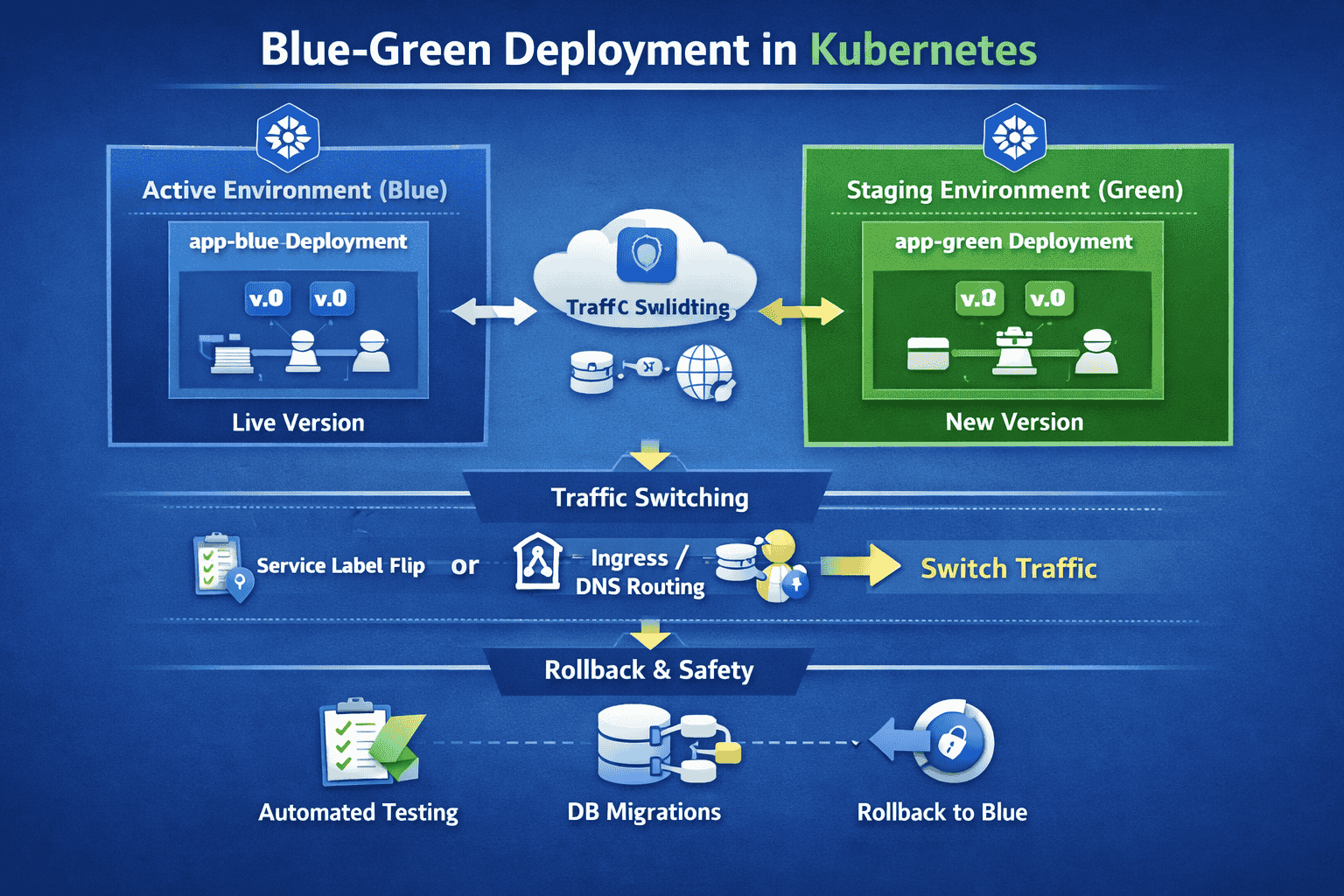
Blue-green deployment is a release strategy that minimizes downtime and risk by running two identical production environments. Only one (the Blue environment) serves live traffic, while the other (Green) acts as a staging area for the new version.
1. The Core Infrastructure
In Kubernetes, you manage two sets of Deployments and use a Service as the traffic router. Each deployment should have unique labels so the Service can distinguish between them.
Step A: Deploy the 'Blue' Version
Create your initial deployment with a version label (e.g., v1).
apiVersion: apps/v1
kind: Deployment
metadata:
  name: app-v2
  labels:
    app: my-app
    version: v2
spec:
  replicas: 3
  selector:
    matchLabels:
      app: my-app
      version: v2
  template:
    metadata:
      labels:
        app: my-app
        version: v2
    spec:
      containers:
      - name: my-app
        image: my-app-image:v2
        ports:
        - containerPort: 8080
Step B: Create the Service (The Router)
The Service selector determines which pods receive traffic. Initially, it points to the Blue version.
apiVersion: v1
kind: Service
metadata:
  name: my-app-service
  labels:
    app: my-app
spec:
  type: LoadBalancer
  selector:
    app: my-app
    version: v1 # Points to Blue; update to v2 for Green
  ports:
    - protocol: TCP
      port: 80
      targetPort: 8080
2. The Deployment Workflow
- Spin up 'Green': Create a new Deployment with the updated container image and label 'version: v2'.
- Test Green: Use port-forwarding or internal services to run smoke tests on the Green pods without public exposure.
- The Switch: Update the Service selector to point to 'version: v2' to instantly route traffic to the new version.
- Monitor & Cleanup: Watch for performance dips; if successful, delete the old Blue deployment to save resources.
3. Pros and Cons
- Near-zero Downtime: The switch happens instantly at the networking layer.
- Low Risk Rollback: Reverting is as simple as changing the Service selector back to v1.
- High Resource Usage: Requires double the compute power during the transition period.
- State Management: Database schema changes must remain backward compatible.
4. Automation Tools
- Argo Rollouts: A controller providing automated Blue-Green/Canary analysis and rollbacks.
- Istio: A service mesh for granular traffic splitting and weighted routing.